![Command and Conquer: Red Alert 2 + Yuri's Revenge [P] [RUS + ENG / RUS + ENG] (2000, RTS) (1.006 / 1.0) [P2P]](https://blogger.googleusercontent.com/img/b/R29vZ2xl/AVvXsEjV0MDa9B4ZIhzvwmjRBJjcg83a68gBpd_b9q5pBxe0ktLRuLX70t7CcnVixtTjoP8-PsBXx3YcohDLJbeFQdmyR07tdmv8b1tNfNuDD0Yfqt8ig5j6iKjGvU1WVT_ZGZdzR7n6oucZyCJ_vQYvRdmLA6XULvWY0fGtETxgoDC9V3dqIF5cx5DTJdcIL48e/w800/7441d5d159e67f6be5b9c6a55a5db030.png "Command and Conquer: Red Alert 2 + Yuri's Revenge [P] [RUS + ENG / RUS + ENG] (2000, RTS) (1.006 / 1.0) [P2P]")

Release year: 2000-2001
Genre: Strategy, real-time, isometric, add-on
Developer: Westwood Studios
Publisher: Electronic Arts
Version: 1.006
Source: Digital
Publication type: Unofficial
Interface language: Russian, English
Voice language: Russian, English
Tablet: Sewn in (LuKeStorm)
SYSTEM REQUIREMENTS
Operating System: Windows 7 / 8.1 / 10 / 11*
* Windows XP and Vista are not supported by the installer tools.
Processor: Pentium II 266 MHz
Memory: 64 MB
Video Card: 2 MB, DirectX 6.0
Sound Card: DirectX 6.0 compatible
Free Space: 2 GB
Ads: No ads
DESCRIPTION
The Red Alert games take place in an alternate timeline created when Albert Einstein, following a series of experiments exemplified by the Philadelphia Experiment, travels back in time to 1946 and eliminates Adolf Hitler from power in order to prevent World War II. However, this plan proves ill-fated: an unchecked Joseph Stalin, under the influence of Brotherhood of Nod agents who had infiltrated the upper echelons of the Communist Party and instigated mass repressions against the Old Bolsheviks, leads the Soviet Union in a massive offensive against Europe.
Features of the repack
- Based on the English-language license;
- Nothing cut or recoded;
- Added a fix for running on modern operating systems;
- Added two unofficial Russian localizations from City and Fargus (selectable in the installer);
- Installation time - 30 seconds (depending on your PC configuration).
RePack by dixen18
[collapse]
Installation and launch description
Before starting the installation, it is recommended to close background programs, including antivirus software!
1. Run setup.exe.
2. Follow the installer instructions, checking the appropriate Components as needed.
3. Wait for the game to install (the progress bar on the right shows the overall installation progress).
4. Play by launching the game from the desktop shortcut (or from the START menu).
[collapse]
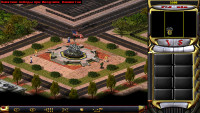
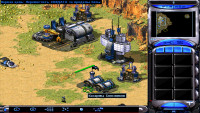
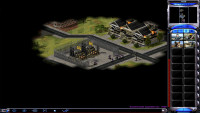
Screenshots

Post a Comment